



Welcome to the 101Domus Guide
Excellence takes shape in your spaces - Learn how to use our platform
Collections
Discover Exclusive Italian Collections
The Collections section features exclusive furniture collections from premium Italian manufacturers. Each collection reflects a unique design philosophy, combining craftsmanship, style, and innovation, bringing authentic Made in Italy luxury to your spaces.
By Style
Browse collections by interior style: Modern, Classic, Contemporary, Art Deco, and more
By Manufacturer
Find collections from your favorite Italian furniture brands
By Collection Name
Search directly if you know the specific collection name
How to Use the Collections Section
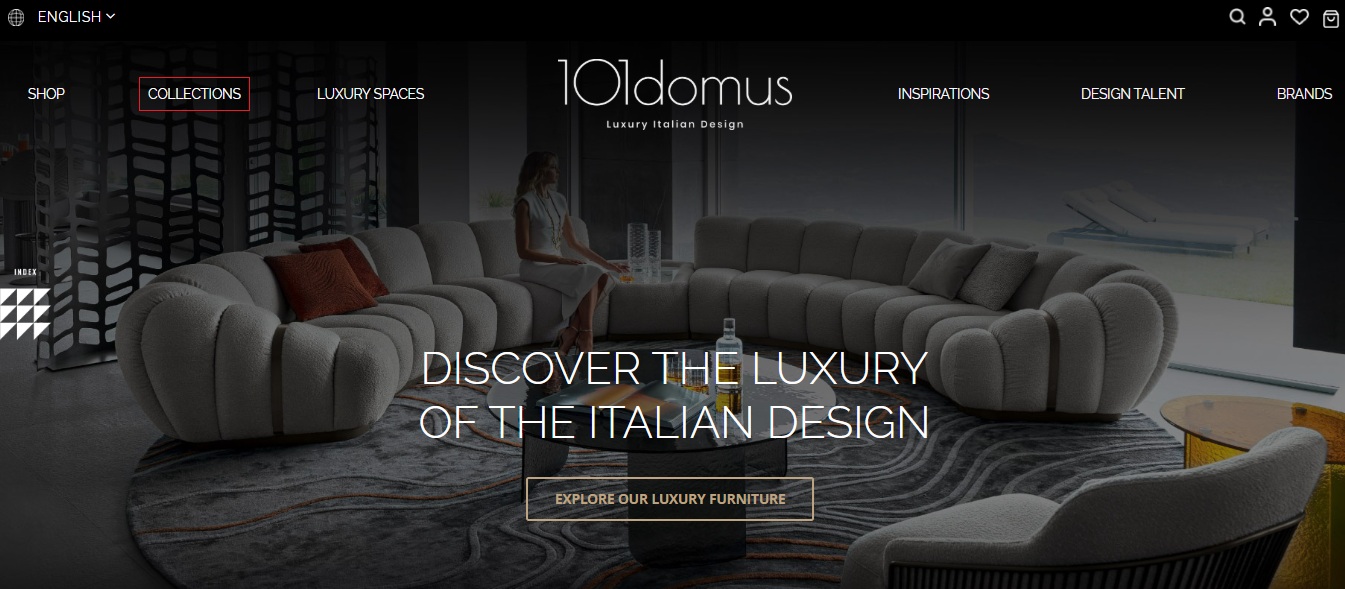
Open the Collections Page
In the top menu, select the Collections section. Here you'll find exclusive furniture collections from Italian brands.
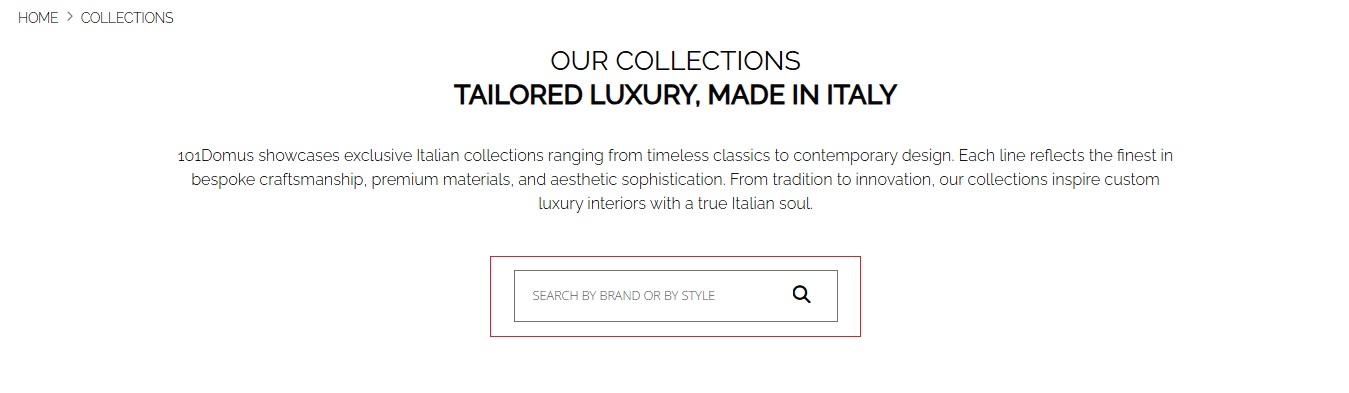
Use Keyword Search
Use the search bar to quickly find the collection you need. You can enter the brand name, collection name, or style — for example, modern, classic, art déco.
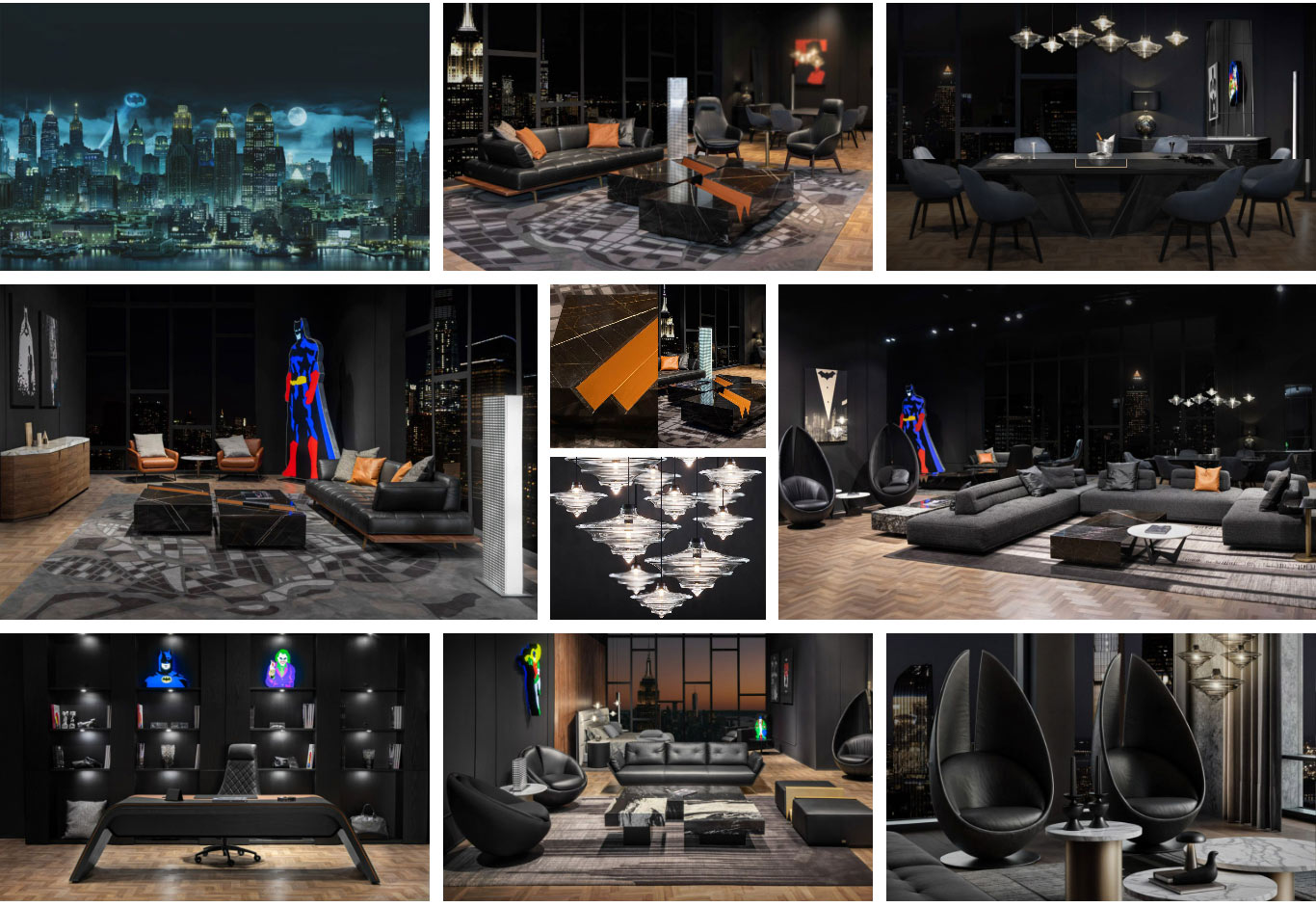
Explore the Collection Gallery
Navigate to the collection that interests you to view a photo gallery with interior shots and products. Each gallery showcases the brand's aesthetic and helps you select furniture in the desired style.
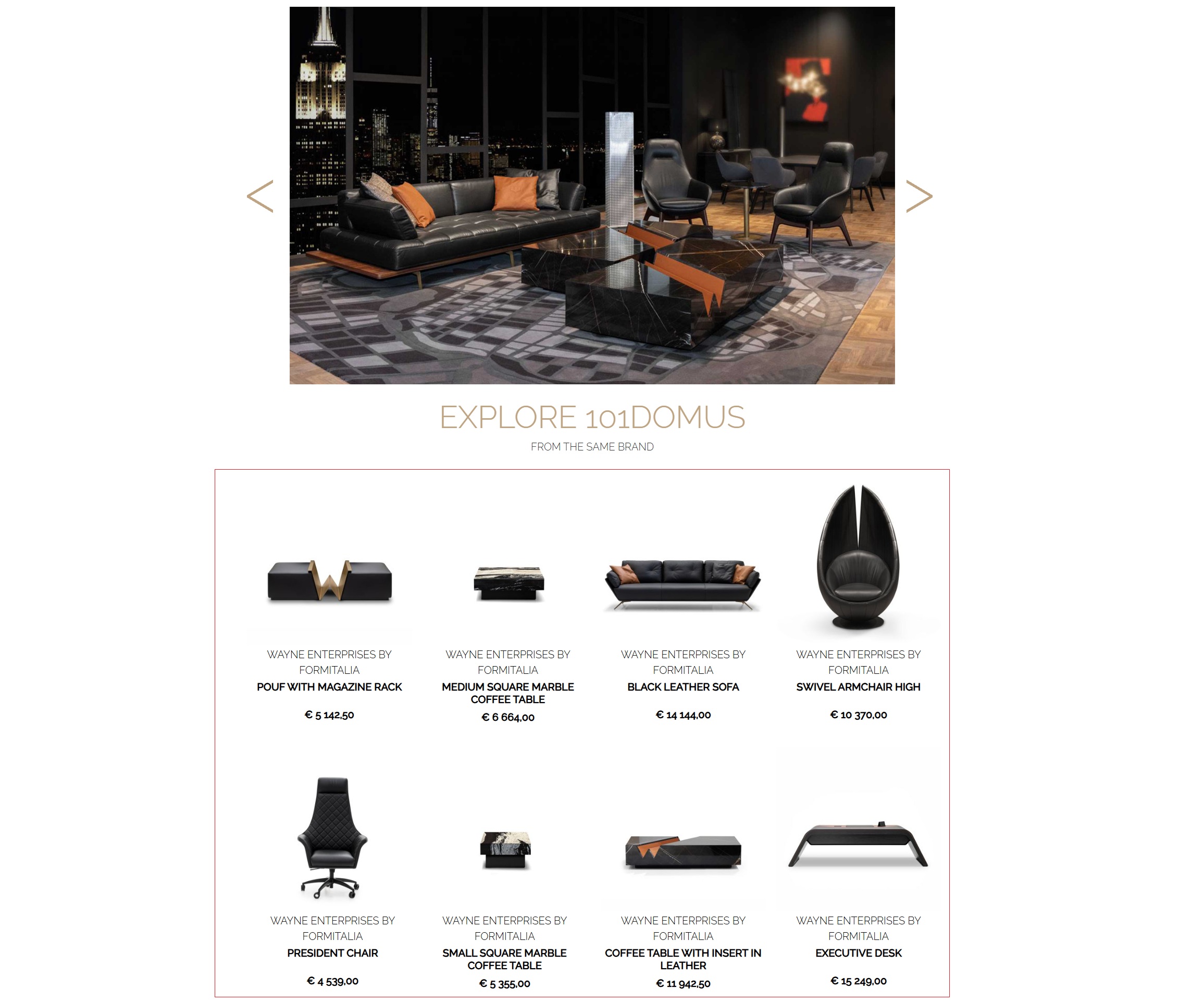
View Collection Products
Below the photo gallery, you'll find the brand's products included in the selected collection. Open the product card to learn details, specifications, materials, and pricing.
Designer's Tip
Browse collections from different brands — it's a great way to understand the style features and aesthetics of each manufacturer. Collections will help you get inspired and select furniture solutions perfectly suited for your project.
Luxury Space
Curated Interior Solutions
Luxury Space showcases ready-made room design projects and curated furniture compositions. Get inspired by professionally designed spaces and learn how interior items complement each other, creating harmonious and elegant designs.
Browse by Room Type
Select the category that interests you — living room, bedroom, dining room, office, home bar, and more. Each space is carefully designed to showcase the best Italian design solutions.
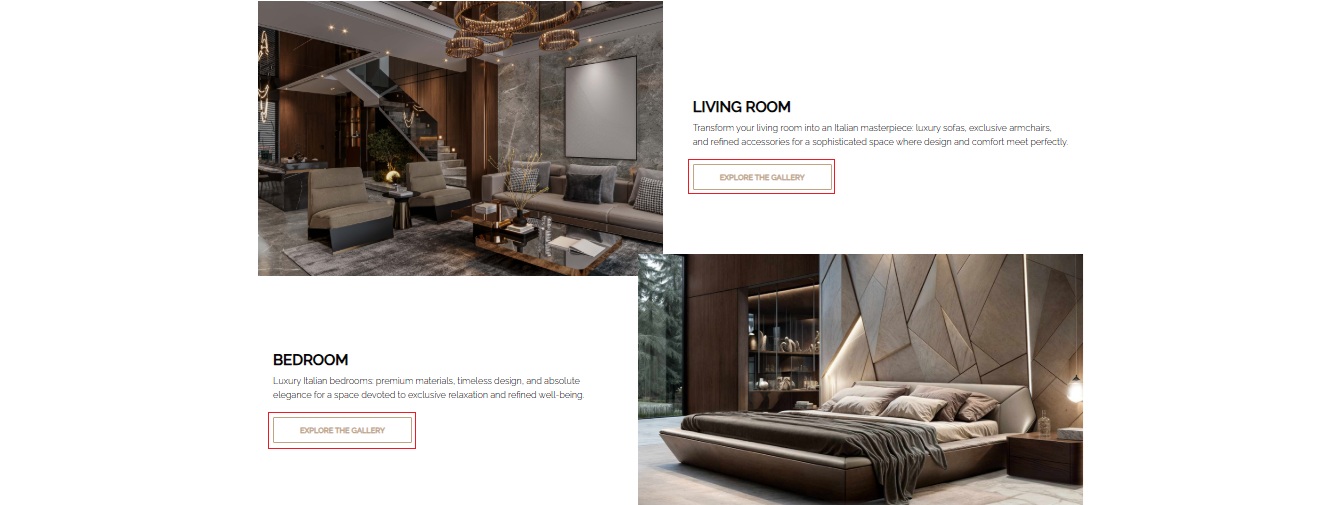
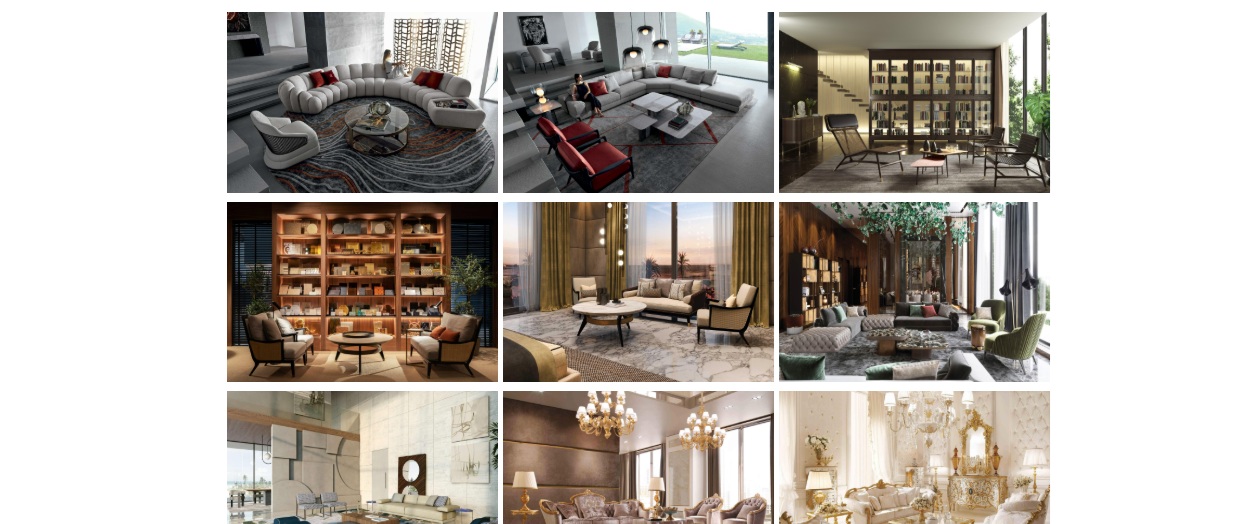
Explore Interior Styles
Browse spaces organized by design aesthetic — from modern classics to minimalism and innovative design. Each interior helps understand how different brands interpret the same style.
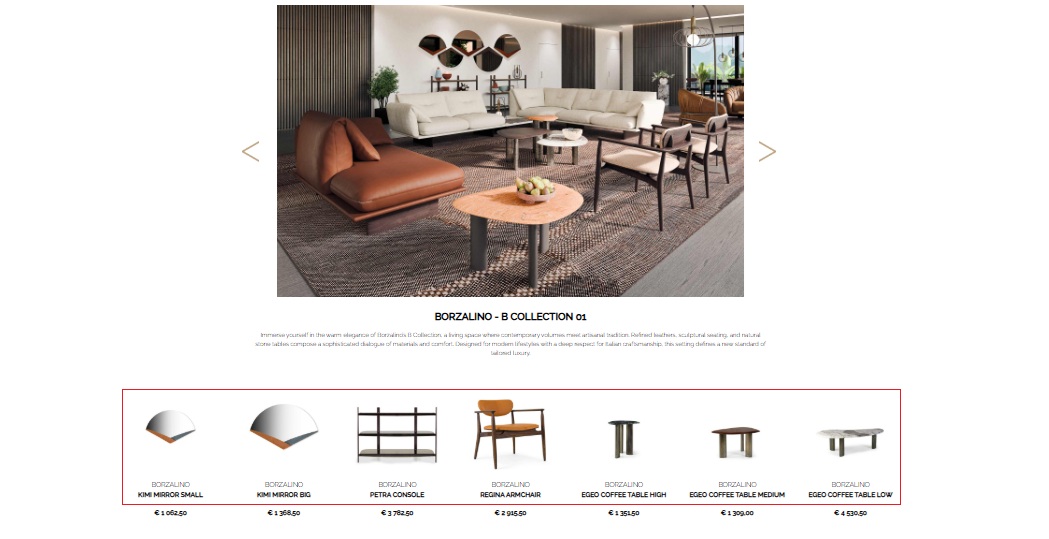
View Featured Products
Below the interior gallery, you'll find the products used in this composition. You can explore them in detail on the website and use them in your own projects.
Professional Insight
Luxury Space is perfect for designers and clients who want to see furniture in context. These carefully designed spaces will help visualize projects, select harmonious furniture combinations, and get inspired by Italian design ideas.
Shop
Browse the Complete Product Catalog
The Shop section offers access to the full range of furniture, lighting, decor, and accessories. Here you can easily find the products you need using filters, smart search, and personalized tools for designers.
Smart Search
Find the products you need by category, brand, style, designer, or price.
Personalization & Quote
Request custom finishes, sizes, and receive a personalized cost estimate.
My Wishlist
Save products to your project folders and share selections with clients.
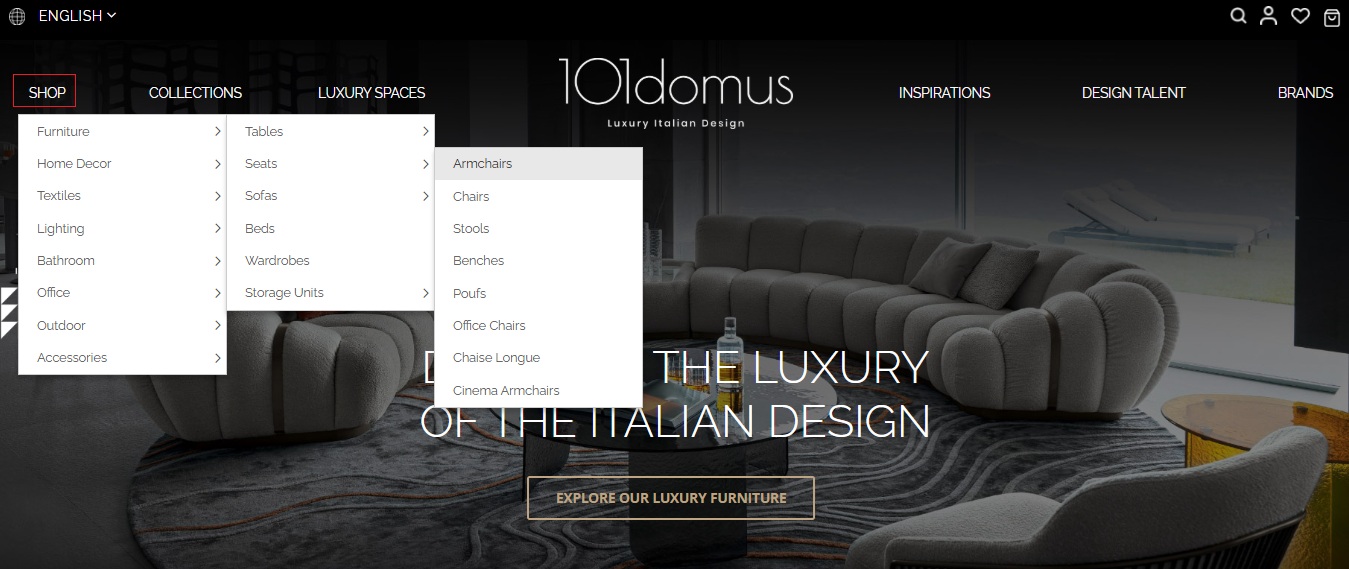
Select the Category
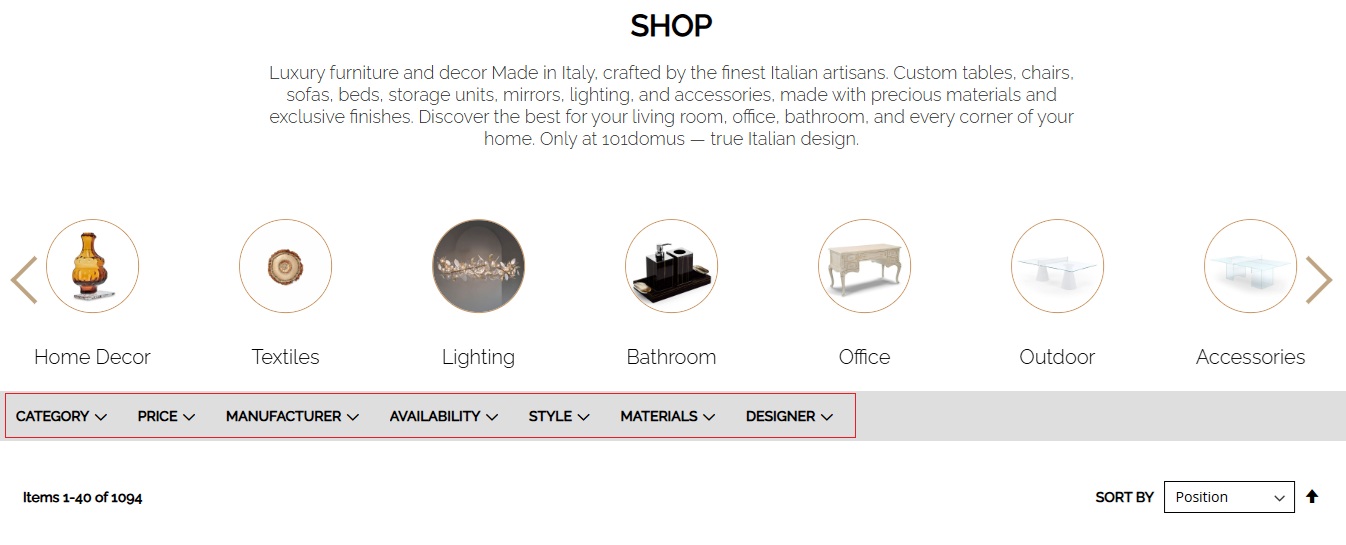
In the main Shop menu, select a macro-category: Furniture, Lighting, Home Decor, Outdoor, Accessories, and more. Each category contains subcategories for easy navigation.
Use Smart Filters
Filter products by category, price, manufacturer, style, or designer. Combine filters to get the most accurate results for your project.
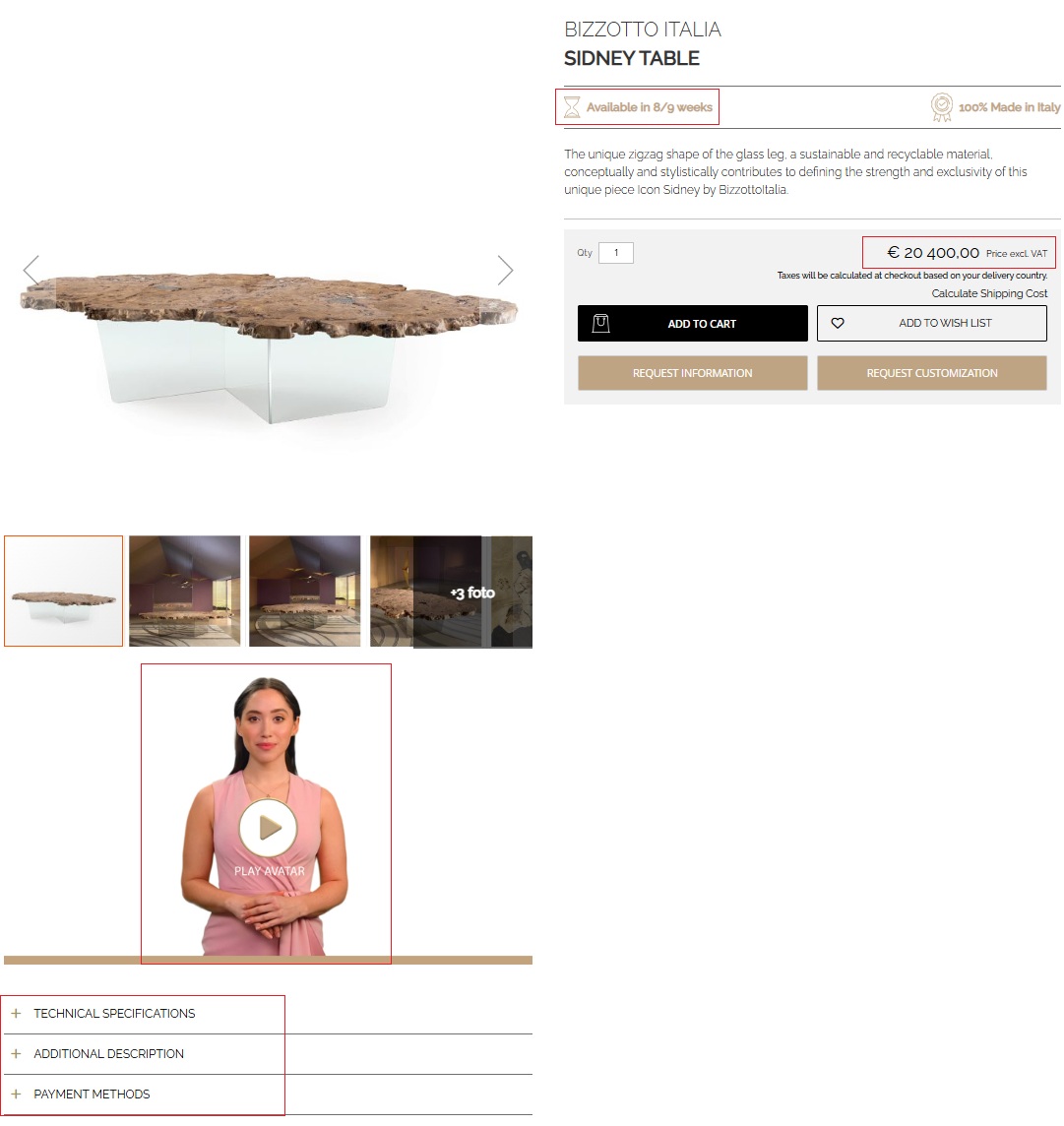
Explore Product Pages
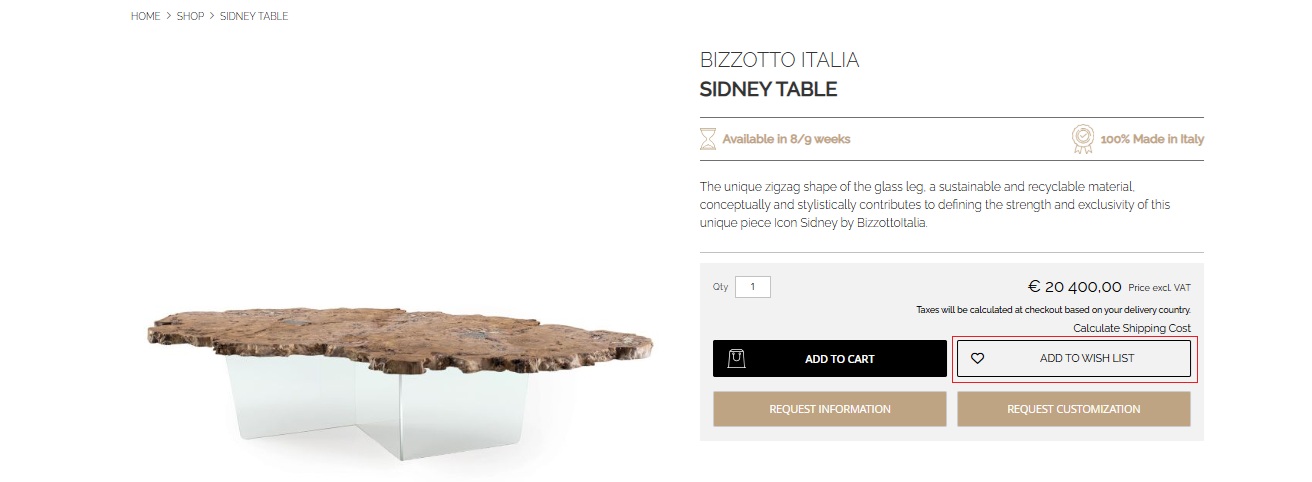
The product page provides detailed descriptions, technical specifications, materials, production times, and available 3D models. You can also listen to an AI assistant's voice description of the product directly on the page.
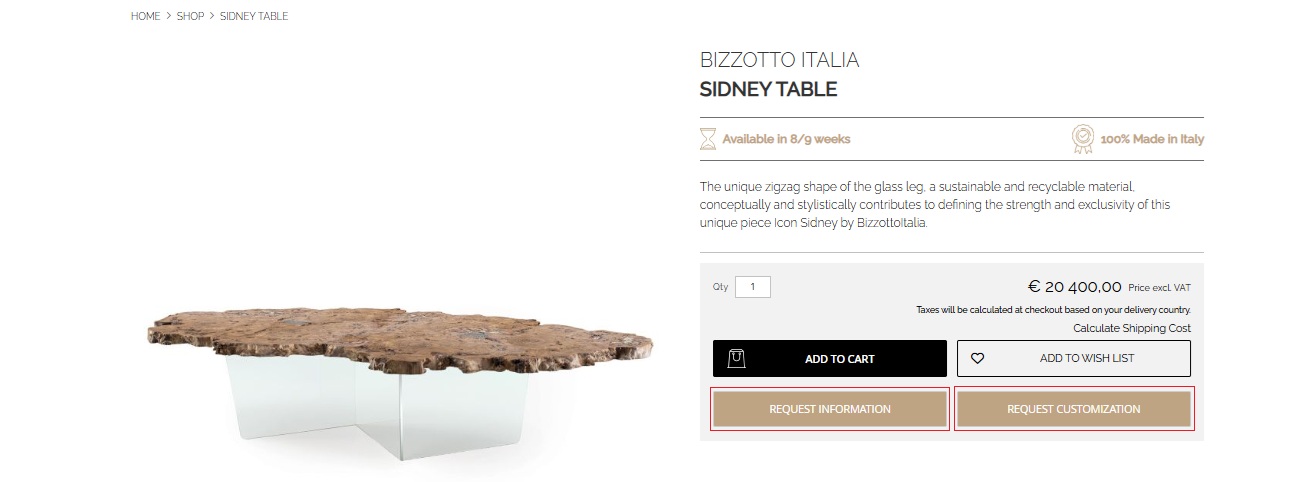
Request Personalization or Additional Information
On each product page, you can request changes to finishes, sizes, or colors, and clarify any details related to production or delivery.
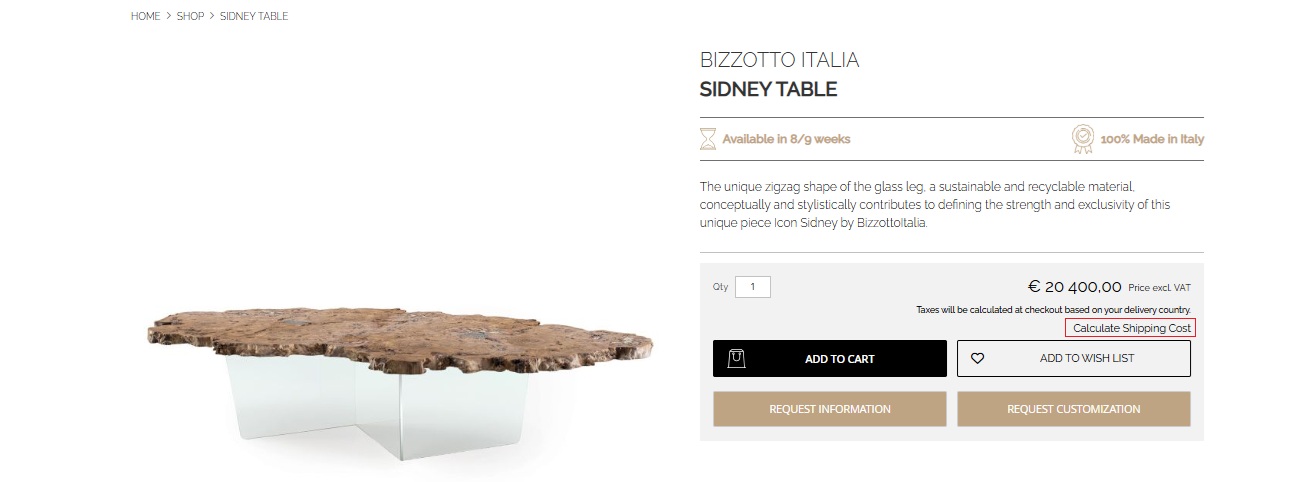
Calculate Shipping Cost
Use the built-in calculator to get an approximate cost and delivery times to your country.
Save to My Wishlist
Add favorite products to personalized project folders in the My Wishlist section. This helps organize selections for clients or save ideas for future projects.
Brands
Premium Italian Manufacturers
101domus partners with the best Italian furniture, lighting, and decor brands, each embodying traditions of craftsmanship and contemporary design. Each brand is selected for exceptional quality, aesthetics, and dedication to the Made in Italy philosophy.
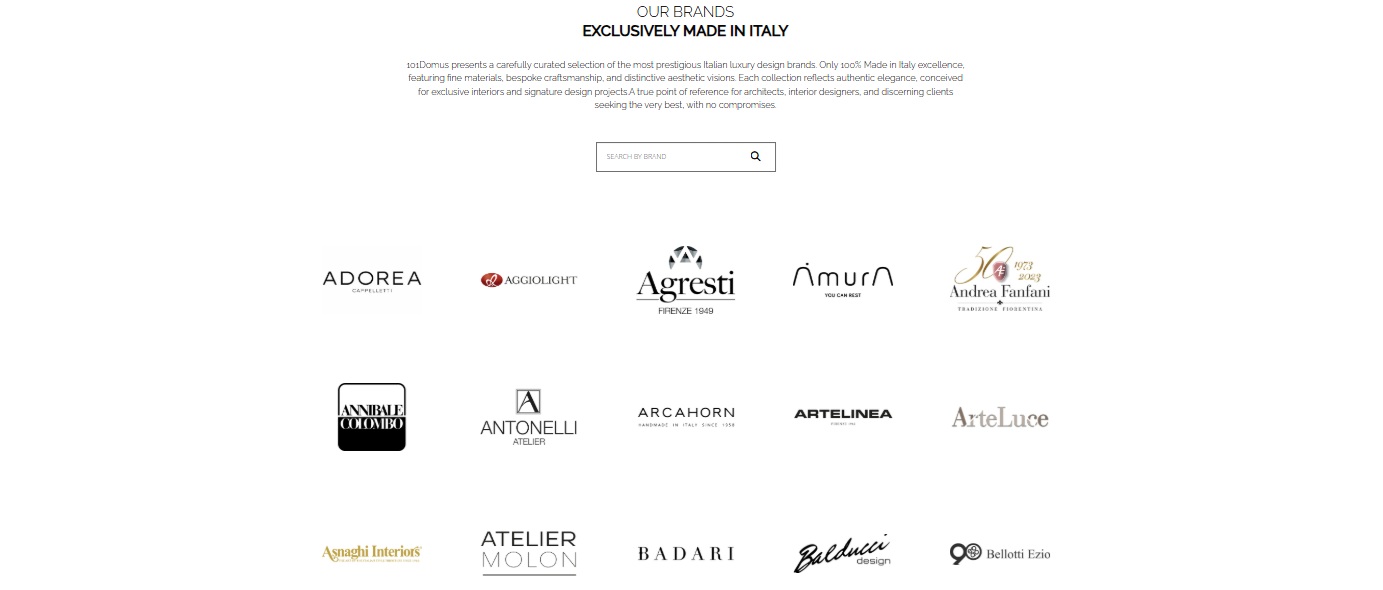
Browse the Brand Catalog
Explore all manufacturers featured on the platform. Each brand includes a logo, brief description, and specialization — from furniture and lighting to accessories and textiles.
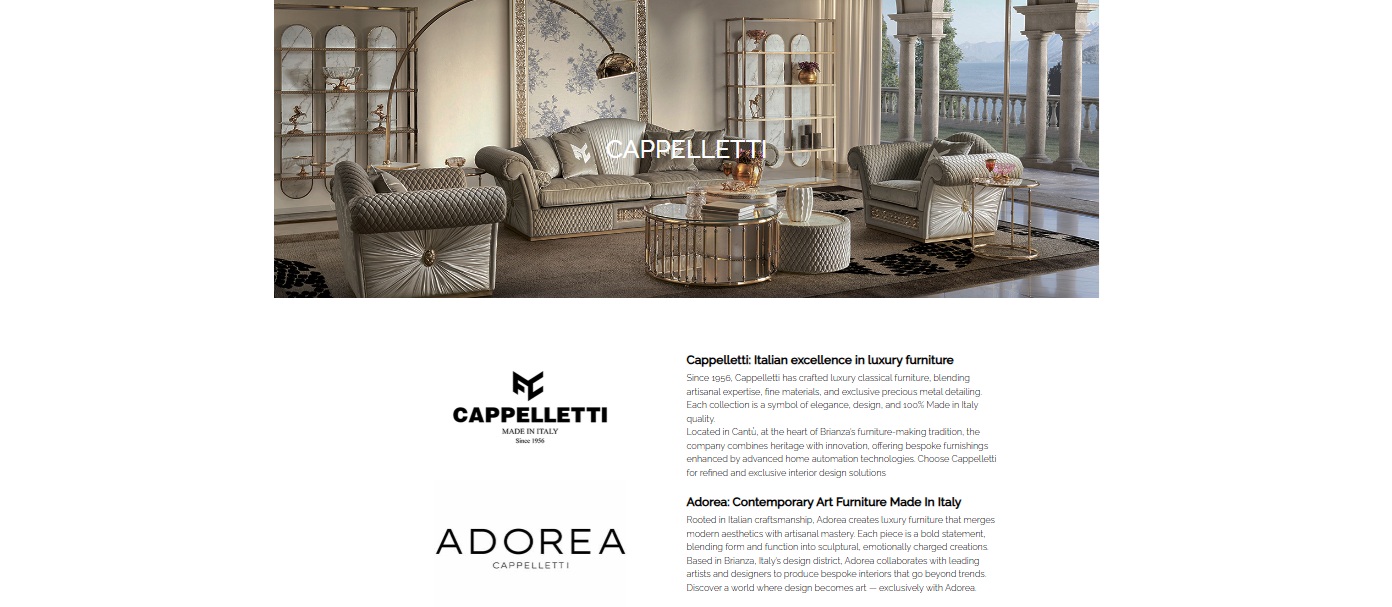
Learn About Brand History and Philosophy
Visit the brand page to learn about its philosophy, production, and inspiration. These pages reveal each manufacturer's uniqueness and help better understand the aesthetics of their products.
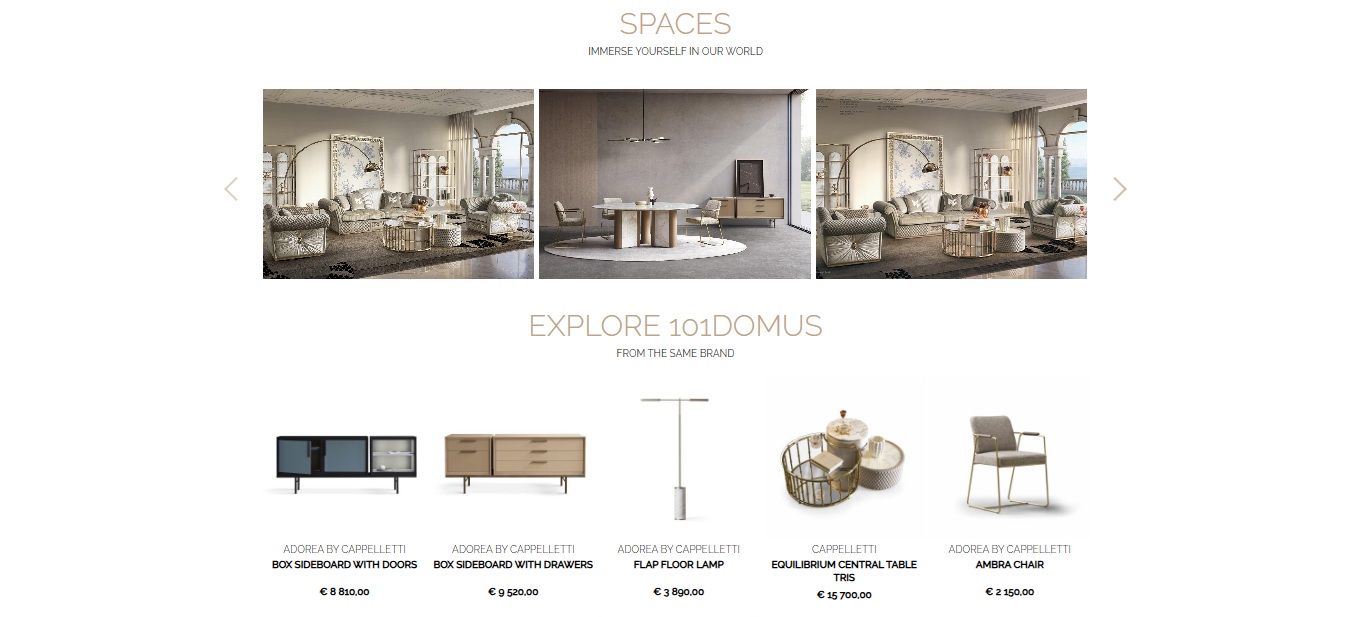
Explore Brand Collections and Products
The brand page features its collections and products available on 101domus. You can explore the range, materials, and style, as well as navigate to each product's detailed card.
Quality Guarantee
All 101domus partner brands are carefully selected for their commitment to Italian craftsmanship and sustainable design. Each product is made in Italy from the finest materials using traditional and innovative technologies.
3D Models
Professional 3D Resources
3D models are available for many products on the platform and are perfect for architects, designers, and visualization specialists. They allow quick integration of furniture, lighting, and decor from the 101domus catalog into professional projects and visualizations.
Open the Product Card
Navigate to the product page you're interested in. If 3D models are available for the product, a '3D MODEL: Download' link will appear in the Technical Specifications section.
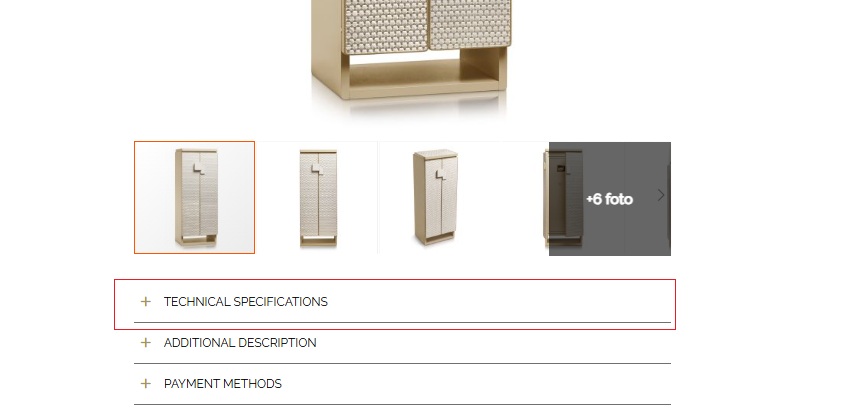
Follow the Link
Click on the link — you'll be directed to a Google Drive folder where all available 3D model files for this product are stored.

Download the Required File
Select the required format (e.g., .3ds, .obj, .fbx, .skp) and download the model to your device. If textures are available, they're already included in the package and ready to use.

Import into Your Project
Load the downloaded model into your visualization software (SketchUp, 3ds Max, Rhino, Blender, etc.). Models are scaled to real proportions and ready for integration into interior scenes.
Professional Use
101domus 3D models are intended for professional visualization, design, and presentations. Most models are adapted for standard software, include textures, and are scaled to real dimensions. Use them to create realistic visualizations and project documentation.
Professional Accuracy
All models are scaled to real dimensions and proportions of items.
Realistic Textures
High-quality materials are included, conveying the color, texture, and sheen of original finishes.
Universal Formats
Compatible with major 3D software, ensuring easy integration into any project.
Shipping
Calculate Shipping Cost
Before placing an order, you can get an estimated shipping cost directly on the product page or in the cart. The built-in calculator helps plan your budget with confidence and choose the most convenient delivery method.
Add Items to Cart
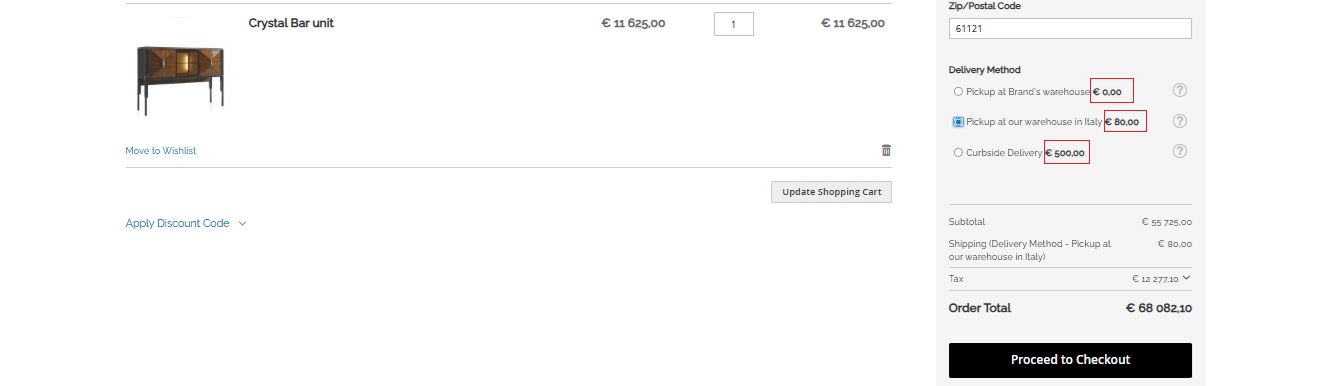
Go to the product page and click 'Calculate Shipping Cost' or add the product to the cart and select the 'Estimate Shipping and Tax' option.
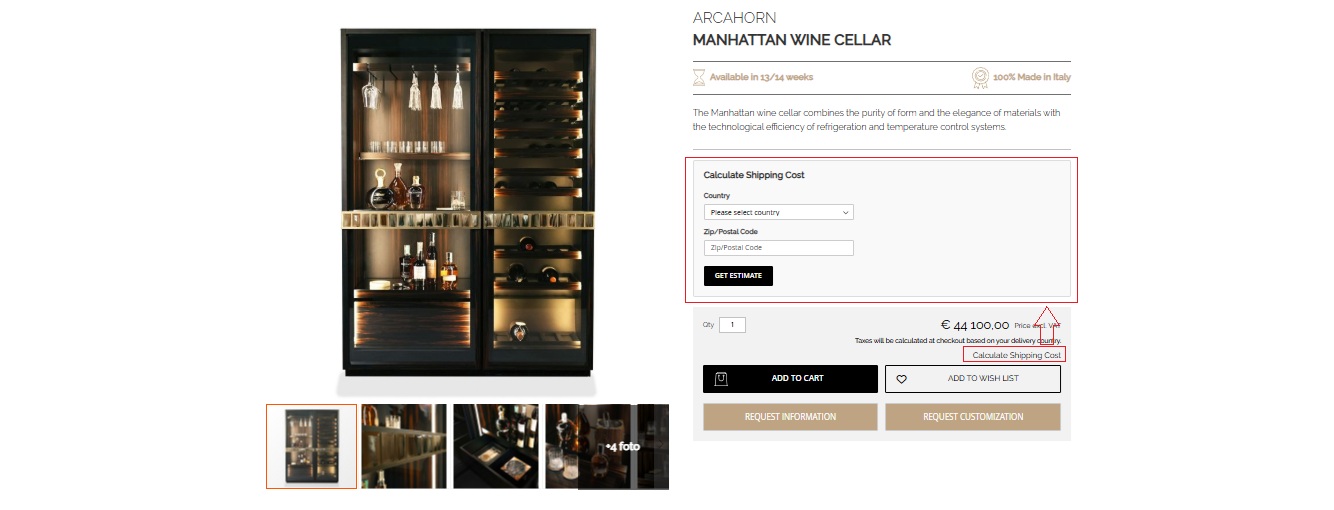
Enter Shipping Details
Enter the country, region, and postal code. The system will automatically suggest available shipping options and their approximate cost.
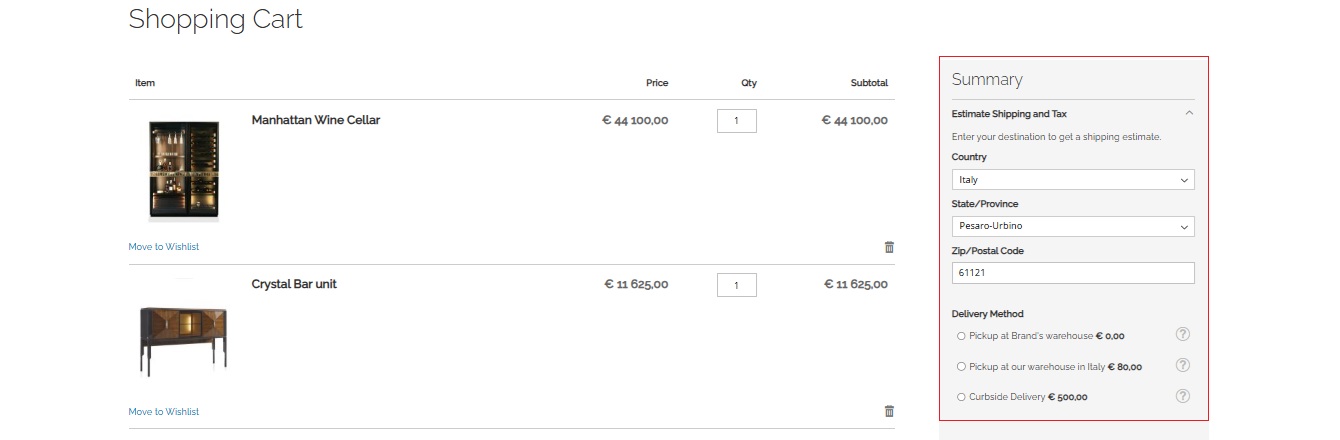
Select Shipping Method
Several options are available:
- Pickup at Brand's warehouse — pickup from factory.
- Pickup at our warehouse in Italy — pickup from 101domus warehouse in Italy.
- Curbside Delivery — delivery to the building at the specified address.
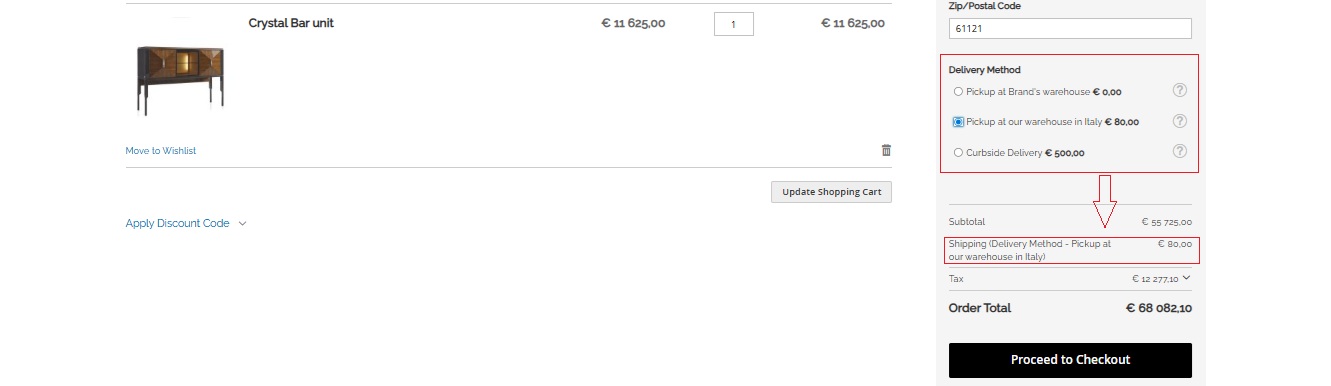
Review the Estimate
The system will calculate the preliminary cost based on order parameters, weight, and selected destination. You'll see the approximate price, timeframe, and available options.
Request Final Quote
For international and complex orders, you can request a personalized quote. Our team will provide an accurate estimate including logistics, customs procedures, and insurance.
Important Information
The prices shown are approximate. The final cost depends on weight, dimensions, product type, as well as destination country and customs conditions. For large or combined orders, we recommend requesting a confirmed quote from our team before payment.
Worldwide Shipping
We deliver to most countries, including Europe, CIS, Middle East, and USA.
Insured Delivery
Every shipment is fully insured against damage and loss.
White Glove Service
Premium service including delivery to the client's address with unloading and indoor placement upon request.
Transparent Terms
All taxes and fees (depending on country) are displayed during checkout or clarified before payment.
My Projects
Organize Your Design Projects
The My Wishlist / My Projects feature allows you to save products, create personal folders, add comments, and share ready-made selections with clients and colleagues. The tool is designed specifically for designers and architects to simplify the furniture selection and presentation process.
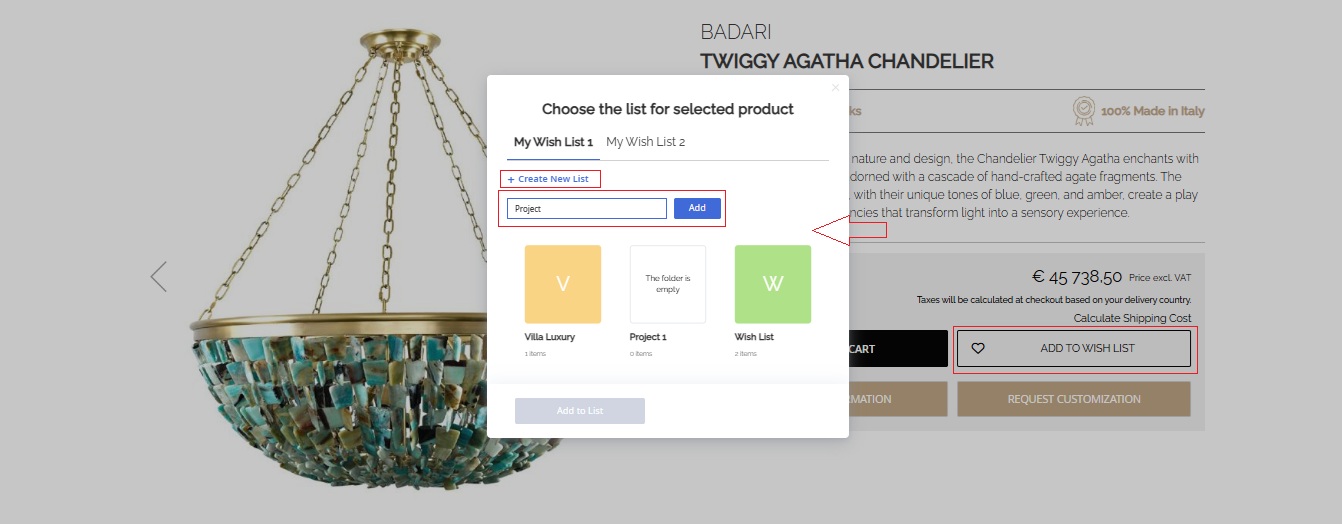
Create a Personal Folder
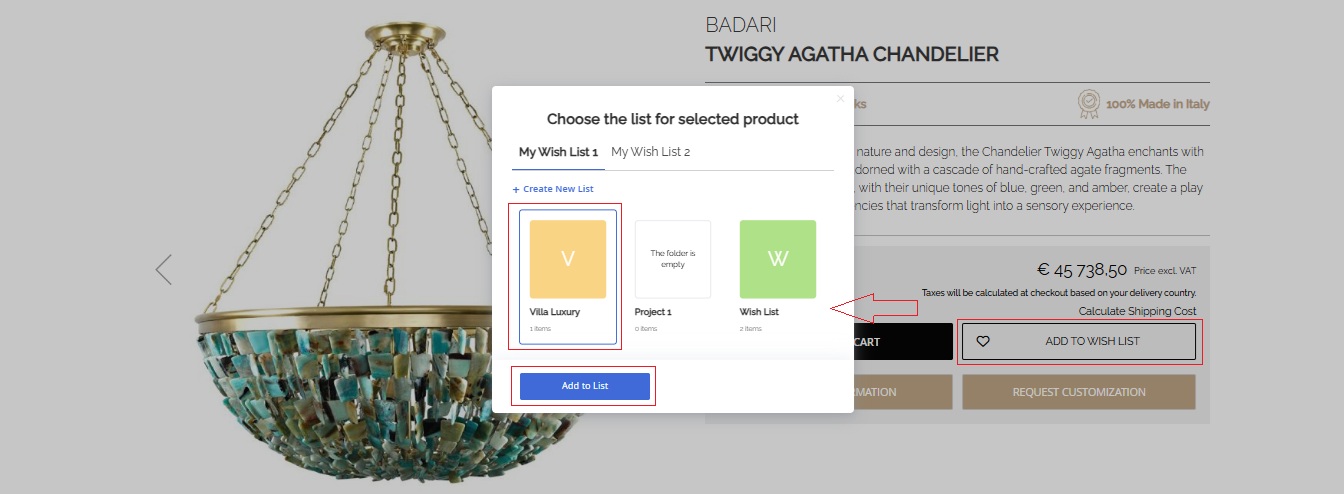
When saving a product, select the 'Add to Folder' option and name your future project — for example: Villa Milano, Rome Apartment, Office Project. Create any number of folders depending on your projects.
Add Products
Any product on the website can be added to one or more folders. This way you can compile a selection of furniture, lighting, and decor suitable for a specific client.
Add Comments
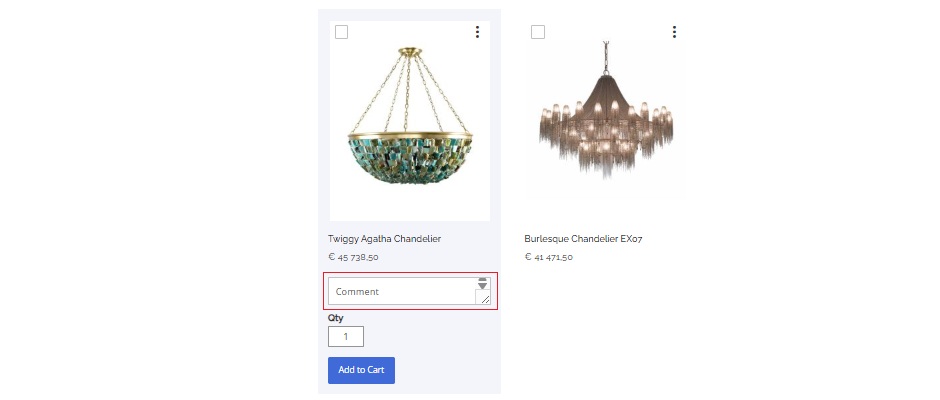
You can write a note for each saved product — specify preferred finishes, sizes, budget, or project details.
Share the Selection
Send product folders to clients or colleagues via email, Telegram, or other messengers. Recipients will click the link and see all products from the folder directly on the website.
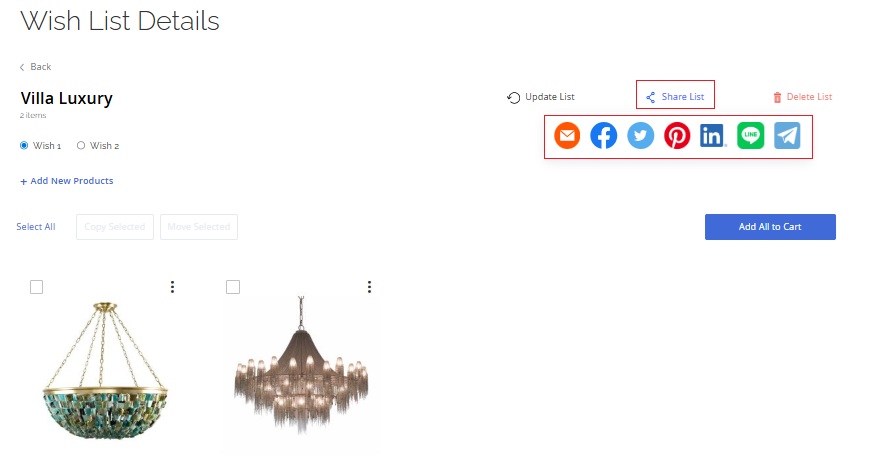
Update and Edit
Return to your folders anytime to update the selection, add new products, or add comments. Keep current project versions and use them for client approvals.
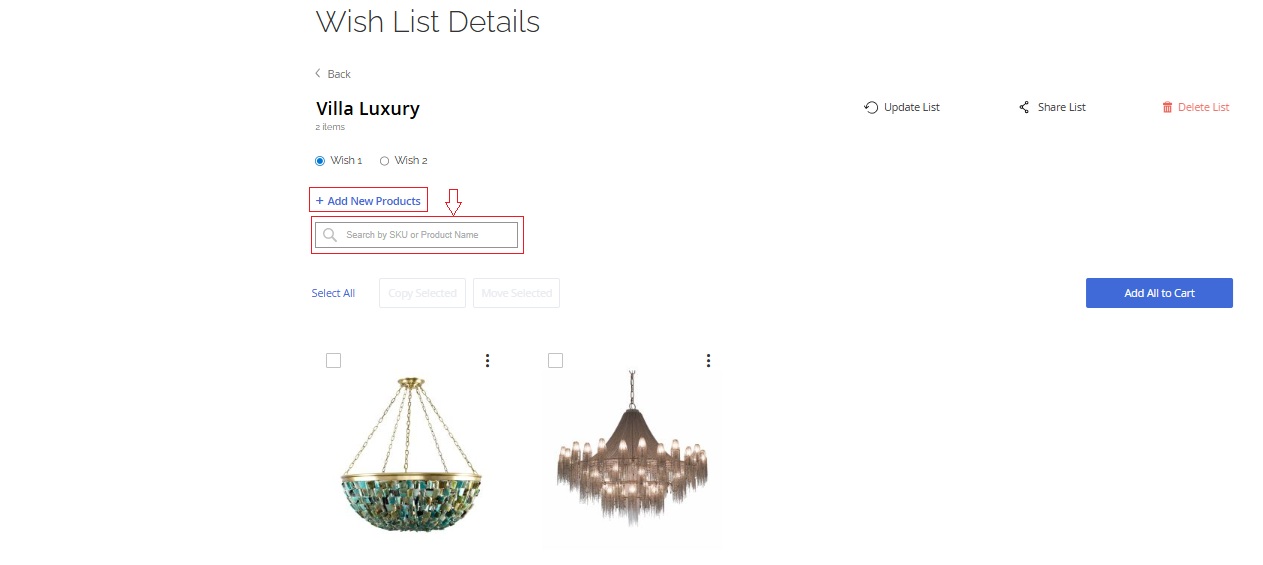
Professional Workflow
The My Projects feature helps designers effectively manage projects, structure selections, and quickly share them with clients. Create unlimited folders, edit them anytime, and use them for presentations and approvals before ordering.
Unlimited Folders
Create any number of project folders and manage them in your personal account.
Easy Sharing
Send selections to clients and colleagues via link or messengers with one click.
Product Notes
Add comments: finishes, sizes, budget, and any requirements for each item.
Quick Quote
Request pricing for the entire selection directly from your project folder.
Payment
Secure Payment Methods
101DOMUS accepts payment only through certified international payment systems, ensuring a high level of protection and transparency for each transaction. All payments are made in euros (€), regardless of the client's currency. Bank fees and currency conversion are paid by the buyer.
Available Payment Methods
Bank Transfer
Payment is made directly to the company's bank account. Bank details will be provided after placing the order. Payment must be made within 7 days of the order.
Credit and Debit Cards
Visa, Mastercard, American Express, and other cards are accepted through the Stripe platform, certified to PCI-DSS security standards. All data is protected with 256-bit SSL encryption.
PayPal
Secure payment using a personal account or linked card. PayPal provides complete protection and doesn't share client data with the seller.
Apple Pay and Google Pay
Fast and secure payment via mobile devices, without needing to manually enter card details.
Cryptocurrency
We accept payments in Bitcoin, Ethereum, Litecoin, USDC, and other leading cryptocurrencies through the BitPay platform. Payments are encrypted, secure, and confirmed instantly.
Detailed cryptocurrency payment instructions
Payment Process
Place Your Order
Add products to your cart and proceed to checkout.
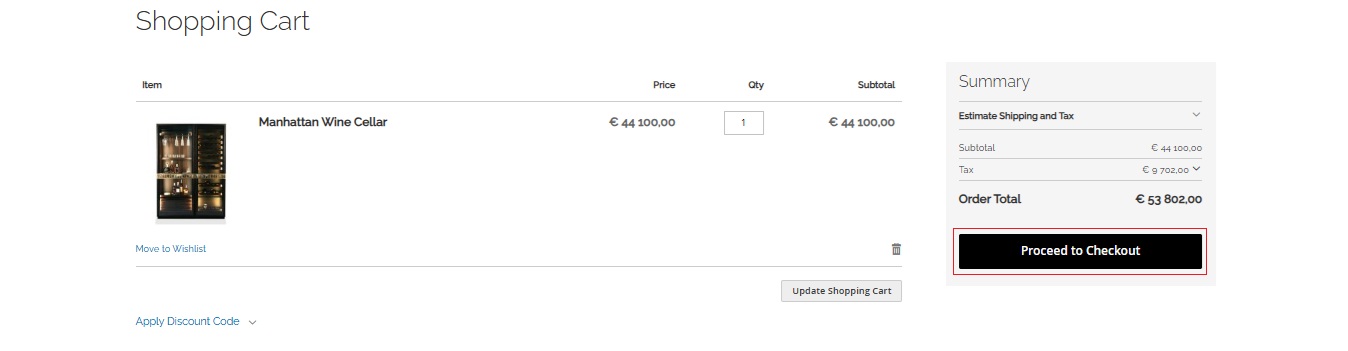
Select Payment Method
On the checkout page, select the appropriate method (card, bank transfer, PayPal, cryptocurrency).
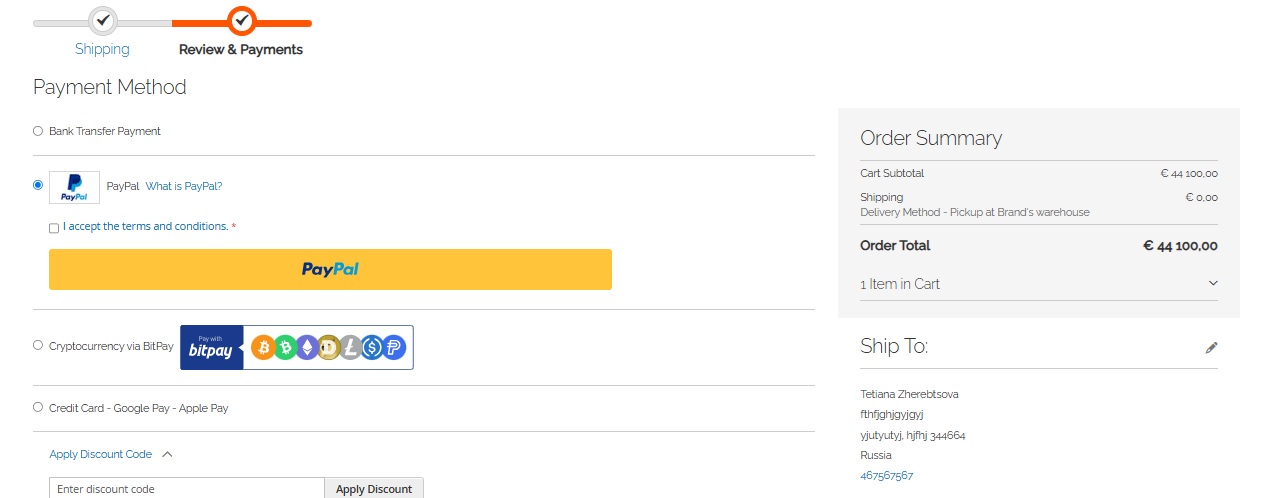
Confirm Payment
Follow the system instructions. All payments are protected by SSL protocol.
Receive Confirmation
After successful payment, you'll receive an order confirmation by email.
Important Information
All payments are accepted in euros (€). Any fees and conversions are paid by the client. Payment completion doesn't mean automatic order confirmation. Confirmation is sent separately after stock verification and delivery time coordination.
Payment Advantages with 101DOMUS
Certified Systems
Stripe, PayPal, BitPay — recognized global leaders in online payments.
SSL Encryption
Complete protection of personal and financial data.
International Payment Methods
Apple Pay, Google Pay, UnionPay, Alipay, WeChat Pay, as well as cryptocurrencies.
Transparent Terms
All amounts are fixed in euros; no hidden fees.